Obtaining KSeF certificates
For belna.app to send your invoices to KSeF you need two KSeF certificates — an online one and an offline one. You generate both for free in the KSeF Taxpayer Application (Aplikacja Podatnika KSeF) run by the Polish Ministry of Finance, then upload them on the KSeF certificates screen.
Each certificate comes as two files: a passphrase-protected private key and the certificate itself. You upload both files to belna.app and enter the passphrase.
Info
The KSeF Taxpayer Application is available in Polish only. The screenshots and the labels quoted below are the original Polish ones.
Before you start
- Have a way to sign in to the KSeF Taxpayer Application ready: Profil Zaufany (Trusted Profile), a qualified signature or a qualified seal. For a sole proprietorship, Profil Zaufany is enough.
- The online and the offline certificate are two separate requests. You go through the whole process twice — once for each certificate.
Step by step
- Go to https://ap.ksef.mf.gov.pl/web/ and sign in with Profil Zaufany, a qualified signature or a seal.
- In the left panel expand Certyfikaty (Certificates) and choose Wnioskuj o certyfikat (Request a certificate).
-
Enter a Nazwa certyfikatu (certificate name) and the Hasło (password) twice, then click Generuj (Generate).
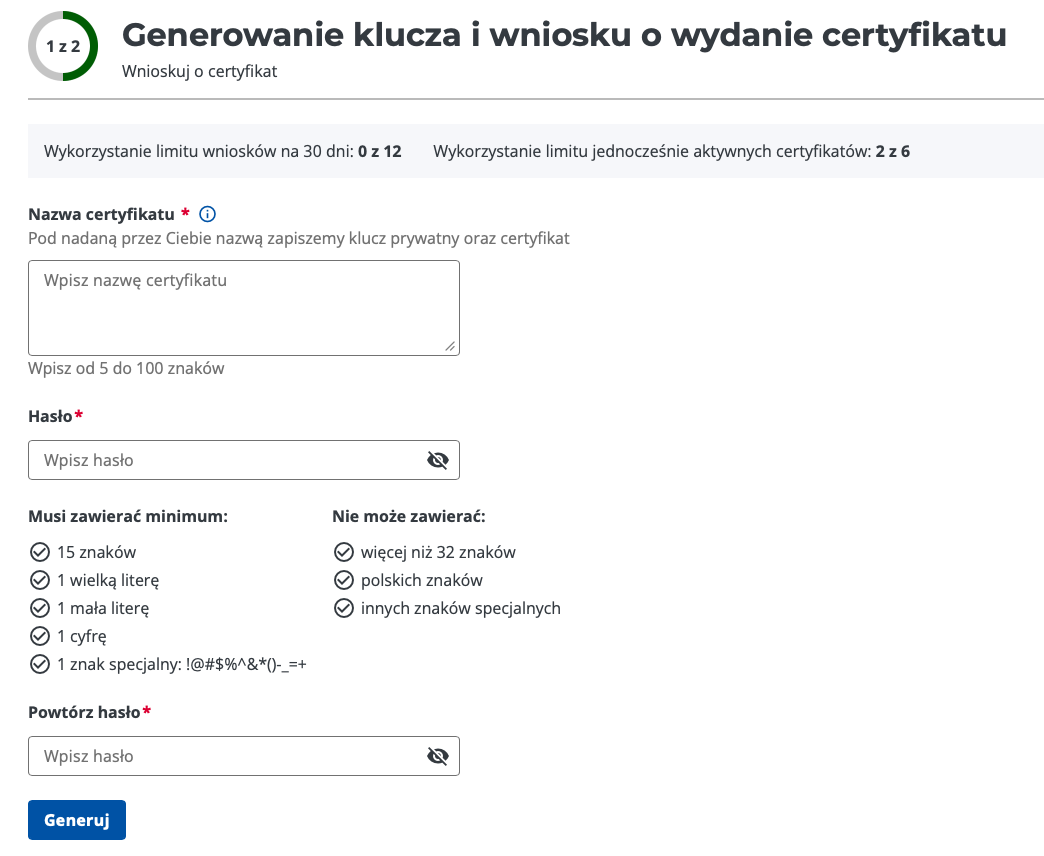
- Give the certificate a clear name, e.g. "Jan Kowalski – belna online". Your browser saves the private key file under this name.
- The password must be 15 to 32 characters long and contain at least one uppercase letter, one lowercase letter, one digit and one special character from
!@#$%^&*()-_=+. It cannot contain Polish letters or any other special characters. - Remember the password — belna.app asks for it when you upload the certificate.
-
Make sure the private key file has been saved on your device. KSeF does not keep the private key, so it cannot be downloaded again.
-
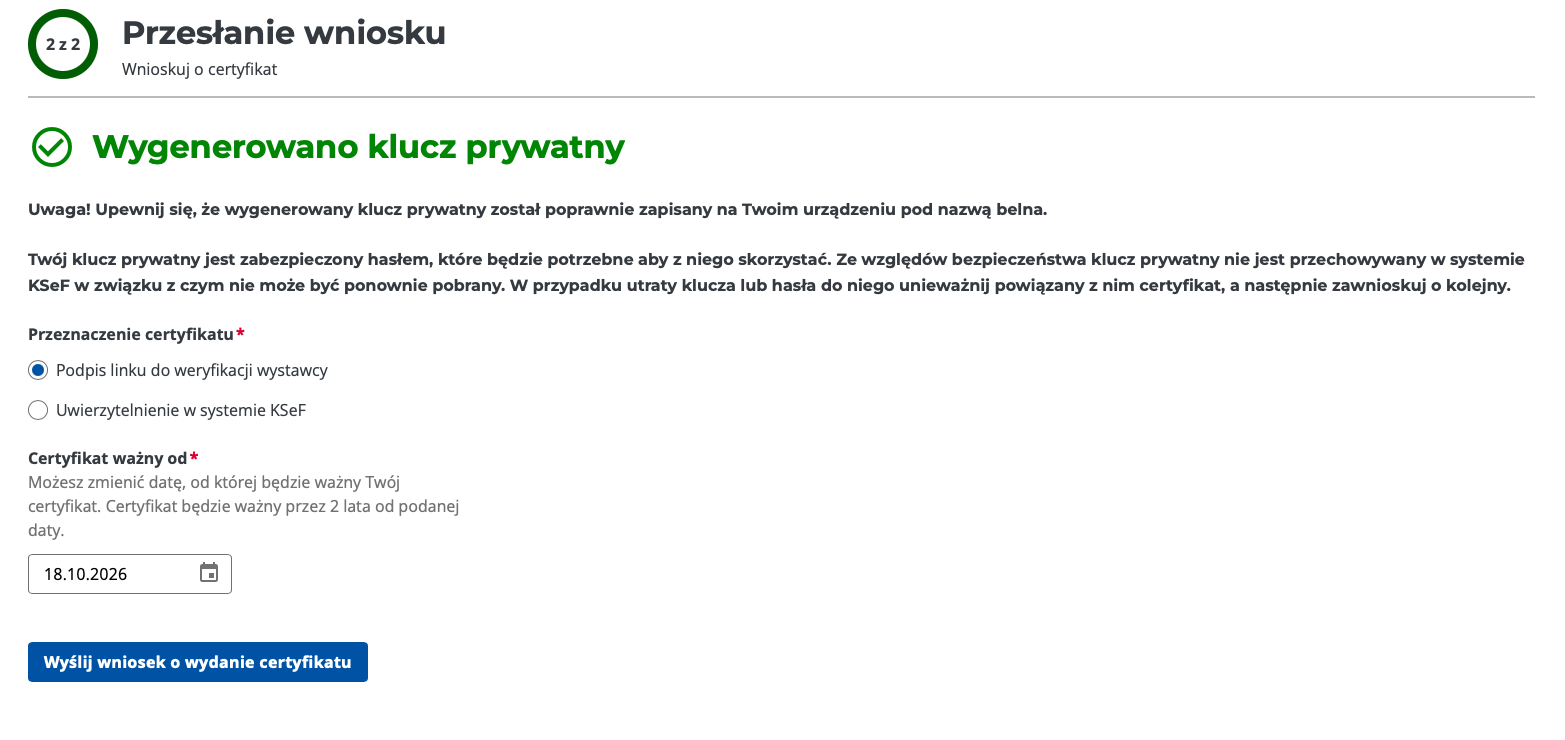
Choose the Przeznaczenie certyfikatu (certificate purpose):
Purpose in KSeF Slot in belna.app Uwierzytelnienie w systemie KSeF (authentication in KSeF) Online certificate Podpis linku do weryfikacji wystawcy (signing the issuer verification link) Offline certificate 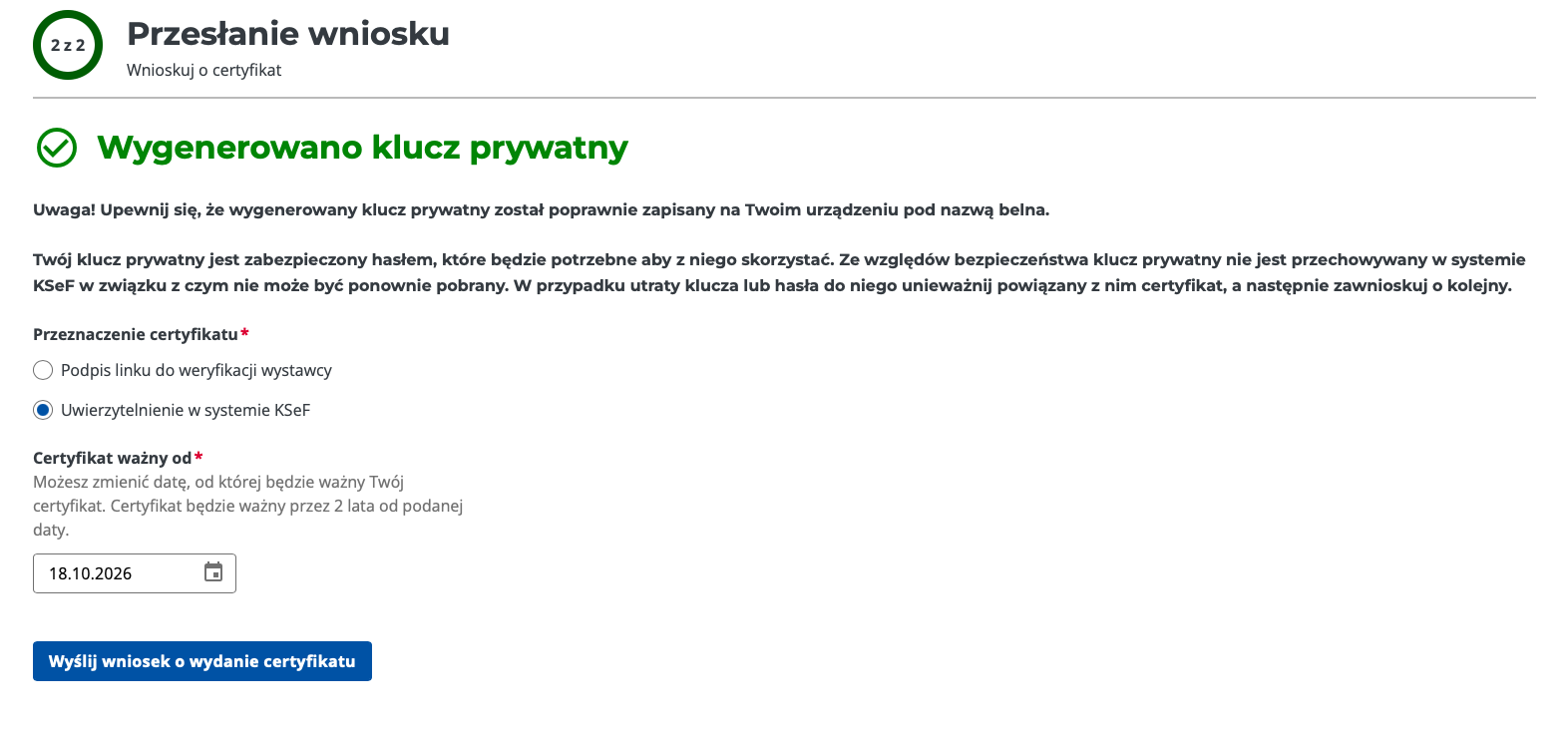
-
Check the Certyfikat ważny od (valid from) date. It defaults to today; the certificate is valid for 2 years from that date.
-
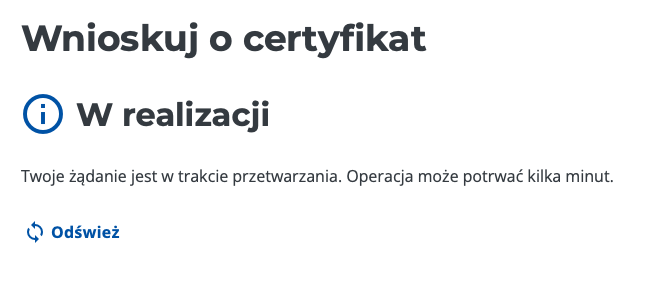
Click Wyślij wniosek o wydanie certyfikatu (Send the certificate request). The request is processed, which usually takes a few minutes. Click Odśwież (Refresh) to check whether it is ready.
-
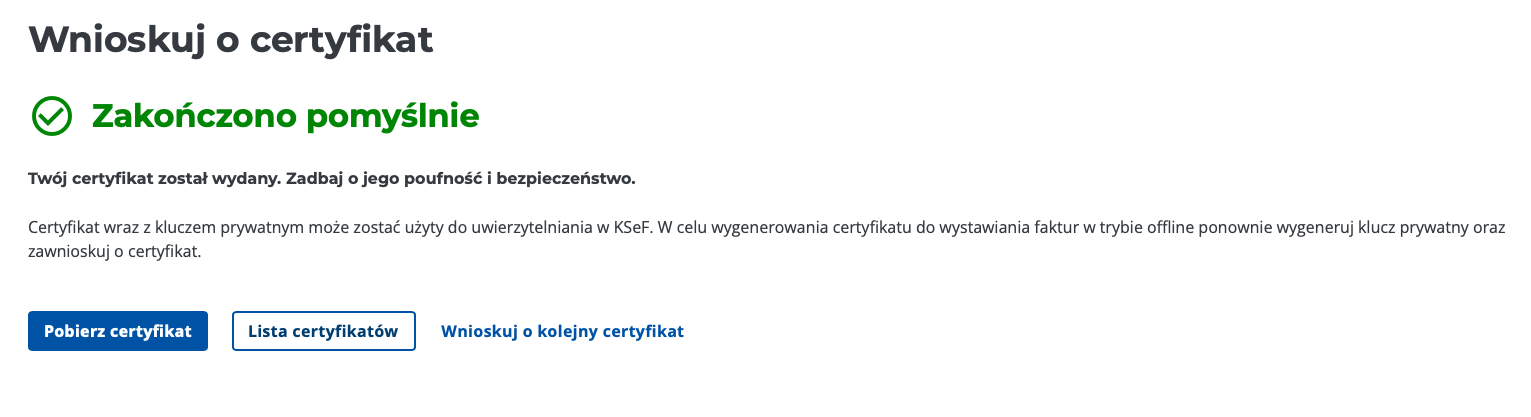
When Zakończono pomyślnie (Completed successfully) appears, click Pobierz certyfikat (Download certificate) and save the file.
-
Repeat steps 2–8 for the second certificate, choosing the other purpose in step 5. Click Wnioskuj o kolejny certyfikat (Request another certificate) to start over.
Warning
One certificate cannot fill both slots. A certificate issued for Uwierzytelnienie w systemie KSeF cannot sign offline invoices and vice versa — that is why you need two separate requests.
Upload the certificates to belna.app
You now have two pairs of files — a private key and a certificate for each purpose.
- Open Settings → KSeF certificates (or the KSeF certificates step of the onboarding wizard).
- In the Online certificate slot choose the certificate and private key issued for Uwierzytelnienie w systemie KSeF, and type the password you set in step 3 into Key passphrase.
- In the Offline certificate slot do the same with the files issued for Podpis linku do weryfikacji wystawcy.
- Save both certificates and use Test connection to check the online certificate.
The form, the connection test and troubleshooting are covered on the KSeF certificates page.
Good practice
- Keep the files and the password safe. The private key and its password let anyone act in KSeF on your behalf.
- Lost the key or the password? Revoke the matching certificate in the KSeF Taxpayer Application and request a new one.
- Watch the expiry date. A certificate is valid for 2 years. You can see when it expires under Valid to on the KSeF certificates page — generate a new one before that date.
- KSeF limits. The Taxpayer Application shows how many requests you made in the last 30 days and how many certificates are active at once. Revoke certificates you no longer use.
Related
- KSeF certificates — uploading, testing and the certificate details in belna.app.
- Onboarding — upload the certificates during first-time setup.
- Invoices & KSeF — how invoices are issued and sent.